The ‘No-App Temptation Shield’ Habit: One Simple Move That Stops You Raiding Your High-Yield Savings
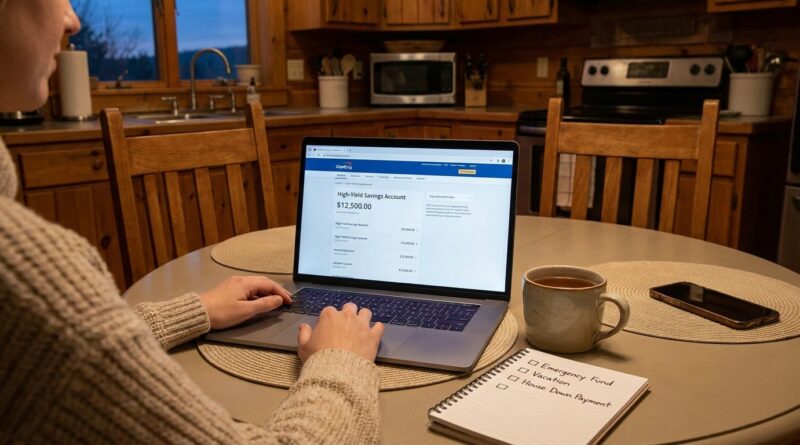
You are not bad at saving if you keep “borrowing” from your high-yield savings account. You are dealing with a system that makes dipping into it way too easy. A few taps on your phone, an instant transfer, and money that was supposed to protect Future You is suddenly covering takeout, a tight week, or one more surprise bill. It happens fast, and it can make your emergency fund feel fake, even when you worked hard to build it. If you are searching for how to stop dipping into high yield savings account money, the fix is often less about discipline and more about friction. The simplest move is to remove the savings app from your phone and make access just annoying enough that you only use it for real emergencies. That small barrier gives your brain time to pause, rethink, and protect the money you meant to keep growing.
⚡ In a Hurry? Key Takeaways
- Delete or sign out of your HYSA app so your savings is not one-tap easy to raid.
- Keep your checking account app handy, but make savings access slower by requiring a browser login or extra verification.
- This does not lock up your money. It simply adds a pause, which is often enough to stop non-emergency transfers.
The habit is simple: make your savings slightly harder to reach
The “No-App Temptation Shield” habit is exactly what it sounds like. You remove the mobile app for your high-yield savings account from your phone, or at least sign out and do not save the password.
That is it. No spreadsheet. No spending freeze. No complicated bank shuffle.
The goal is not to make your money inaccessible. The goal is to stop treating your emergency fund like an extension of checking.
When savings lives right next to your everyday spending app, your brain starts to count it as available cash. That is the real problem. Not the interest rate. Not the bank. The access.
Why this works better than “just have more self-control”
Willpower is unreliable, especially when you are stressed, tired, or trying to solve a money problem quickly. Most people do not dip into savings because they carefully decided it was the smartest long-term move. They do it because the transfer button was right there.
Tech has made savings wonderfully convenient. It has also made backsliding wonderfully convenient.
Behavior experts call this friction. If something is a little harder to do, you do it less often. That sounds almost too obvious, but it works in real life.
One extra step can change the outcome
Imagine two versions of the same moment.
Version one. You are $80 short before payday. You open the app, transfer money in 20 seconds, and tell yourself you will replace it later.
Version two. You are $80 short before payday. The app is not on your phone. Now you have to open a browser, remember your password, get a code texted to you, and log in manually.
That tiny delay creates a pause. In that pause, you might decide to wait a day, move money around in checking, skip a purchase, or solve the problem another way.
That pause is the shield.
How to set up the No-App Temptation Shield today
1. Delete the HYSA app from your phone
If deleting feels too extreme, sign out and remove Face ID or fingerprint login. The point is to break the reflex.
You can still access your account later from a laptop or mobile browser. You are not trapping your money. You are simply stopping instant impulse transfers.
2. Keep your checking account easy to reach
You do not need to make all banking difficult. In fact, that can backfire.
Leave your checking app alone so you can pay bills, monitor transactions, and stay on top of day-to-day money. The friction should be for emergency savings, not for basic money management.
3. Rename the account if your bank allows it
Instead of calling it “Savings,” name it something like “Real Emergencies Only” or “Job Loss and Car Repairs.”
That sounds small, but labels matter. They remind you what the money is for before you move it.
4. Turn off push notifications that tempt you
Some banking apps constantly show balances, promos, and easy transfer prompts. If you keep the app, at least turn off the notifications that pull your attention toward the account.
5. Keep a small buffer in checking
The No-App Temptation Shield works best when you are not running your checking account down to fumes.
Even a modest cushion, like $100 to $300, can absorb those tiny emergencies that are not really emergencies. That way your HYSA is there for bigger hits, not every awkward week.
What counts as a real emergency?
This is where a lot of people get stuck. They know they should not keep dipping into savings, but everything feels urgent in the moment.
A real emergency is usually unexpected, necessary, and time-sensitive.
Good reasons to use your HYSA
Car repair needed to get to work. Urgent medical bill. Rent shortage after a real setback. Emergency travel for family. Job loss.
Usually not emergency-fund reasons
Impulse shopping. Upgrading a phone that still works. Covering regular overspending. Convenience purchases. A sale that “ends tonight.”
If your emergency fund keeps covering non-emergencies, the app barrier helps separate panic from habit.
If you keep dipping into savings, the issue may be account design
Sometimes the problem is not overspending. It is that your money setup is doing too much with too little separation.
Your checking account is for living. Your HYSA is for protecting. If both feel equally reachable, your brain treats them the same.
That is why this habit is so useful. It creates different jobs for different accounts.
And if you want to build the balance back up more consistently, pair this habit with The ‘Windfall Capture’ Habit: Turn Every Surprise Dollar Into High‑Yield Savings Before It Disappears. Surprise money can refill what everyday life keeps trying to drain.
Common worries about deleting the app
“What if I really need the money fast?”
You still have the money. You can access it from a browser or reinstall the app if needed. For a true emergency, that extra few minutes will not matter. For an impulse transfer, it often matters a lot.
“What if I need to monitor the account?”
Check it on a schedule instead of casually. Once a week or twice a month is plenty for most people. You do not need to stare at your emergency fund the way you watch checking.
“What if I miss a better rate somewhere else?”
Rate shopping has its place. But a slightly higher APY will not save much if you keep pulling money out every other week. Protecting the balance usually matters more than squeezing out one more decimal point.
Other smart friction tricks if deleting the app is not enough
If you want even more protection, try one or two of these.
Use a separate bank for savings
If your HYSA is not at the same bank as checking, transfers often feel less casual. That extra separation can help.
Do not link the account to digital wallets
Keep your emergency fund far away from Apple Pay, PayPal, Venmo, or any place where money can move quickly.
Store your password somewhere secure, but not memorized
A password manager is great. It keeps access safe without making logins effortless from memory when you are acting on impulse.
Set a personal rule
For example, “I never transfer from savings on the same day I first think about it unless it is rent, medical, transportation, or job related.”
Rules remove debate. Debate is where impulse often wins.
At a Glance: Comparison
| Feature/Aspect | Details | Verdict |
|---|---|---|
| Instant app access | Makes transfers fast and easy when you are stressed or tempted. | Great for convenience, bad for protecting savings habits. |
| No-App Temptation Shield | Removes one-tap access and adds a pause before you move money. | Best simple fix for how to stop dipping into high yield savings account money. |
| Chasing a slightly higher rate | May earn a bit more interest, but does not solve easy-withdrawal behavior. | Helpful only after access habits are under control. |
Conclusion
The smartest savings move is not always finding the highest rate. Sometimes it is making your money a little harder to touch. Right now, plenty of people are focused on hopping between HYSAs and chasing tiny rate differences, but almost nobody talks about the real leak. Instant access lets stress, boredom, and short-term fixes undo months of progress in seconds. The No-App Temptation Shield is a small, sustainable tweak that works with real human behavior instead of fighting it. You can do it today. It still works if rates change tomorrow. And best of all, it helps your emergency fund feel like what it is supposed to be: safe from emergencies, and safe from your own thumbs too.